10 Powerful Benefits of Using an Event Planning Template

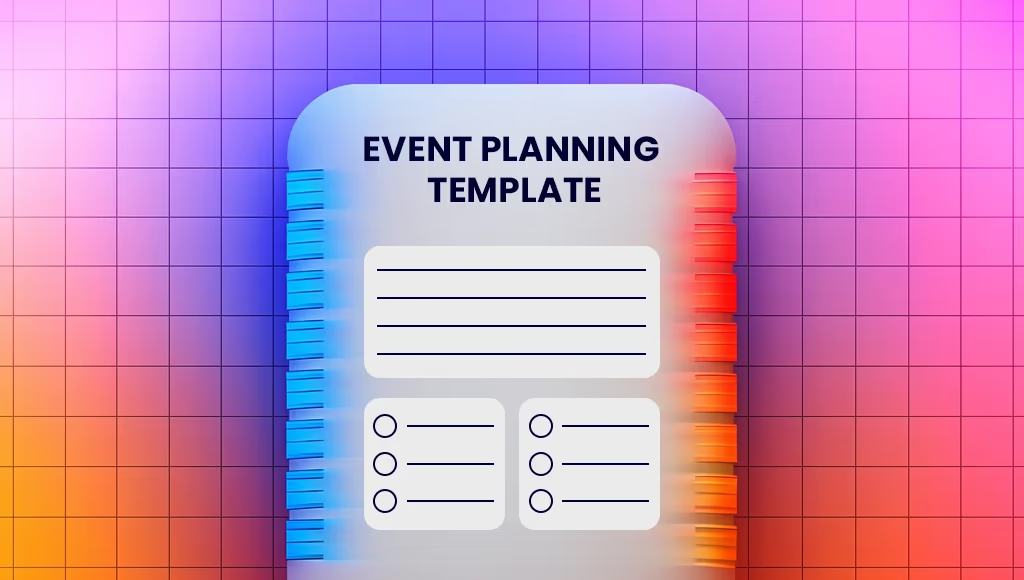
Need to organize an event efficiently? An event planning template gives you a step-by-step framework so important details do not get lost between ideas, approvals, vendors, and deadlines.
The real value is not just having a checklist. It is having one place where the team can see what needs to happen, who owns it, and what still needs attention before event day arrives.
Key Takeaways
- Event planning templates provide a structured approach that reduces stress and ensures all details are accounted for.
- Using templates saves time by streamlining task management, improving budget tracking, and enhancing team communication.
- Customizable templates that integrate with Asana, ClickUp, and Microsoft Planner improve collaboration and efficiency.
What is an Event Planning Template?

An event planning template is a reusable framework that helps you organize and execute events systematically. Think of it as your blueprint for success, ensuring every step of your event planning process is covered. From the initial concept to the final wrap-up, these templates provide a structured approach that reduces stress and increases the likelihood of a successful event.
The primary purpose of event planning templates is to streamline the planning process, making it easier to manage all the moving parts involved in organizing an event. They create consistency, reduce duplication, and make it less likely that an important task slips through the cracks.
10 Essential Benefits of Using an Event Planning Template
Templates are valuable because they turn a complex process into something more manageable. Instead of reinventing your workflow every time, you start with a structure that already reflects how events tend to unfold in the real world.
That structure becomes even more useful when the event gets busy. A good template helps the team stay grounded in priorities, timelines, budget decisions, and owner responsibilities when there are a lot of moving parts in play.
1. Saves Time & Reduces Stress
Event planning templates save hours of work by giving planners a clear structure for managing logistics, deadlines, approvals, and dependencies. Instead of building the process from scratch, you can focus your energy on the decisions that actually need judgment.
2. Enhances Task Organization
A structured checklist ensures all tasks are assigned, tracked, and completed efficiently, helping to avoid last-minute chaos.
3. Improves Budget Management

Templates with built-in budget tracking make it easier to allocate funds properly, compare estimates against actuals, and prevent overspending before it becomes a bigger issue. If budget control is one of the hardest parts of planning, this is usually one of the most practical sections to standardize.
It also helps when conversations with vendors or stakeholders change. When your budget lives inside the same planning workflow, the impact of every decision becomes much easier to see. For more detail, see our event budget template.
4. Ensures Consistency Across Events
For recurring events, a standardized template maintains consistency in execution, ensuring nothing important is overlooked from one edition to the next.
5. Streamlines Vendor Coordination
A vendor tracking section helps planners keep records of contracts, pricing, and contact details, simplifying vendor management and follow-up.
6. Enhances Team Collaboration

By integrating with tools like Asana, ClickUp, and Microsoft Planner, teams can access real-time updates, share ownership clearly, and track event progress collaboratively.
7. Provides Clear Timelines & Scheduling
With built-in deadlines, planners can track milestones and key dates to ensure everything is on schedule.
8. Improves Attendee Management
Many templates include guest list tracking, RSVPs, and seating arrangements, helping streamline the attendee experience and reduce avoidable admin work.
9. Reduces Risks with Contingency Planning
By including a risk management plan, planners can anticipate and address potential issues like weather disruptions, low attendance, or vendor cancellations.
10. Enables Post-Event Analysis & Follow-Up

After the event, templates allow for structured feedback collection, performance analysis, and follow-ups with attendees and sponsors.
How to Customize Your Event Planning Template
Customizing your event planning template adds a practical layer of flexibility and ensures the structure reflects the way your team actually works.
The goal is not to make the template more complicated. It is to make it more useful for the specifics of your event, whether that means guest logistics, sponsor deliverables, speaker workflows, or internal approvals.
- Add custom fields for unique event requirements, such as specific guest accommodations or special equipment needs.
- Create links for presentations to keep speaker materials organized.
- Adjust timelines based on event schedules to ensure deadlines align with the planning process.
Integrating Tools with Your Event Planning Template
Integrating tools like ClickUp, Asana, and Microsoft Planner can significantly enhance the event planning process by turning the template into a live operational hub instead of a static document.
That matters when multiple people are working on the same event at once. Shared tools reduce version confusion, keep deadlines visible, and make it easier to track progress without endless status-chasing.
- ClickUp: Provides real-time dashboards for tracking event progress.
- Asana: Syncs seamlessly with Google Calendar for automatic task creation and deadline tracking.
- Microsoft Planner: Uses a Kanban-style interface for easy task management and progress tracking.
By incorporating these tools, you can enhance team collaboration and streamline workflows.
Tips for Successful Event Execution
A template can help you plan well, but execution still depends on how clearly the team communicates and how quickly issues are handled once the event begins.
The most reliable event-day workflows are usually the simplest ones. Clear ownership, regular check-ins, and enough rehearsal time tend to prevent more problems than complicated processes do.
- Assign Clear Roles & Responsibilities: Ensure all team members understand their tasks to minimize confusion.
- Use Regular Check-Ins: Keep everyone aligned with progress updates and quick meetings.
- Monitor the Event Progress: Track the schedule in real-time and make adjustments as needed.
- Organize a Final Rehearsal: Identify and address any potential issues before the event day.
Real-Life Examples of Event Planning Templates in Action
Many organizations have used event planning templates to streamline their operations and improve results. The exact format varies, but the common thread is that a structured process makes it easier to scale execution, communicate clearly, and repeat what works.
- Denver Broncos: Used event planning templates to create interactive presentations for partner engagement.
- WeightWatchers: Automated CRM processes, optimizing client communication and sales strategies.
- Georgia Tech Athletics: Increased season ticket sales by 80% through strategic event planning templates.
These examples show how structured planning leads to better efficiency and greater success.
How to Get Started with Your Event Planning Template
Getting started is usually easier than people expect. You do not need the perfect template on day one. You need a version that captures the essentials clearly enough for the team to start using it.
Once the framework is in place, you can refine it over time based on the way your events actually run. That is what turns a useful template into a genuinely repeatable system.
- Outline Your Event Details – Define goals, audience, and logistics.
- Set Up Task Sections – Organize tasks in a structured timeline.
- Assign Responsibilities – Ensure every team member has a clear role.
- Integrate with Planning Tools – Sync with ClickUp, Asana, or Microsoft Planner for real-time collaboration.
- Monitor Progress & Adapt – Keep track of milestones and make adjustments as needed.
Conclusion
Event planning templates transform the event planning process by saving time, reducing stress, and improving efficiency. Whether you’re organizing a corporate conference, wedding, or community event, using a structured template helps ensure no critical details are overlooked.
By customizing and integrating these templates with the right tools, you can create a streamlined, lower-stress planning experience that leads to successful and memorable events.
Lisa Broom is the Content Writer and Head of Marketing at Fliplet - an app building platform that enables anyone to easily create engaging and interactive mobile and web apps.
Frequently Asked Questions
What is an event planning template?
An event planning template is a structured tool that helps you organize the important details for an event, including dates, owners, budget, vendors, and timelines.
How do event planning templates benefit event planners?
They reduce stress by giving planners a repeatable structure for budgeting, scheduling, team coordination, and event-day execution.
What are the essential components of an event planning template?
Core sections usually include event details, a task list, budget tracking, vendor contacts, milestone dates, and contingency planning.
Can I customize my event planning template?
Yes. You can add custom fields, create links to presentations or assets, adjust timelines, and tailor the structure to the event type.
How can I integrate tools with my event planning template?
Using tools like ClickUp, Asana, and Microsoft Planner lets you connect tasks, deadlines, owners, and updates so the template becomes part of your real workflow.
When should I start using an event planning template?
As early as possible. Starting with a template at the beginning of the planning process makes it easier to capture decisions, assign work, and avoid gaps later on.
Can one event planning template work for recurring events?
Yes. A reusable template is especially helpful for recurring events because it creates consistency while still allowing room for event-specific adjustments.