 4.8/5
4.8/5  4.7/5
4.7/5 Run Events Your Way With A Mobile Event App
Give attendees personalized schedules, real-time updates, and easy ways to connect. Your events, your brand, your way.
Trusted by Teams Worldwide
















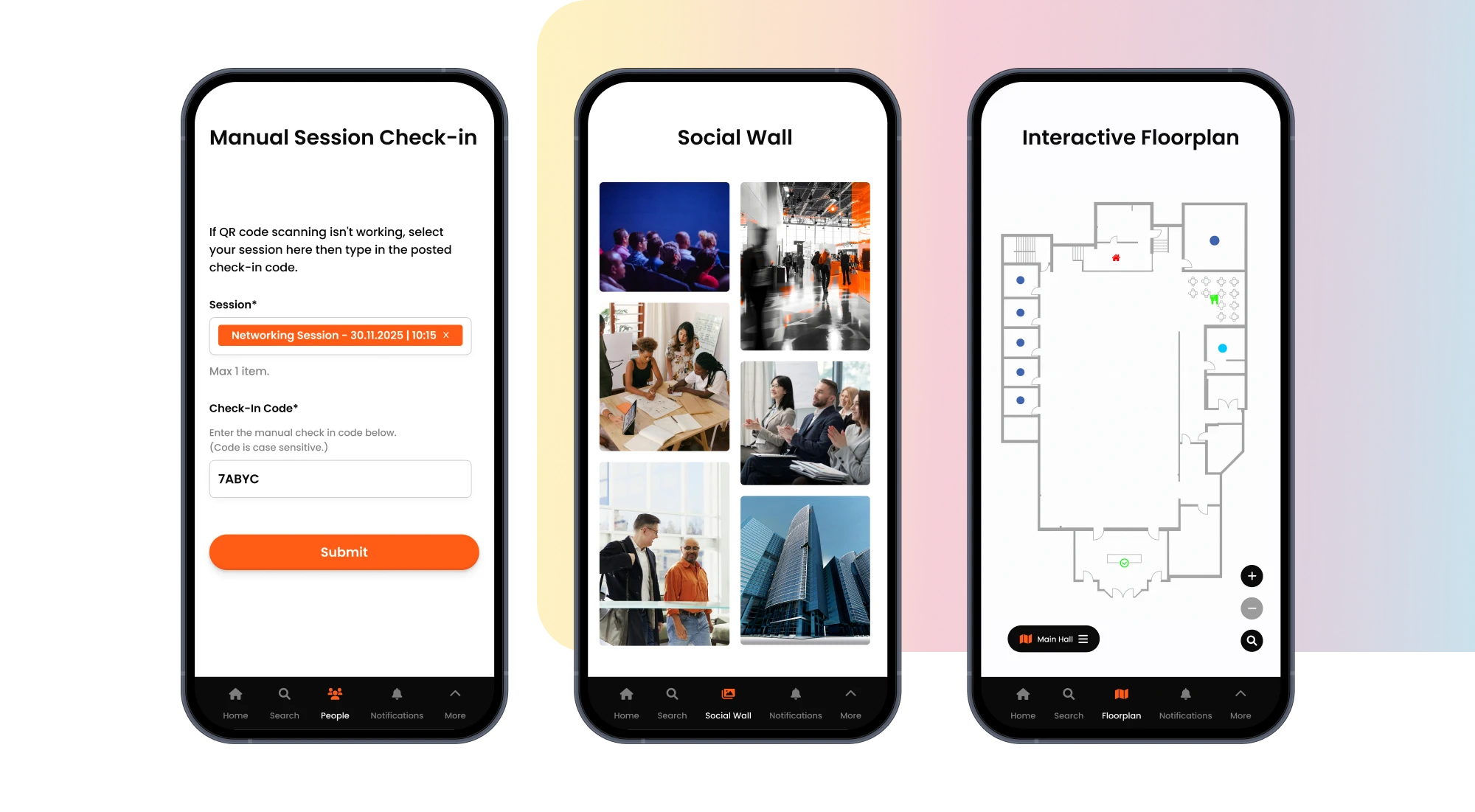
Give Attendees Everything They Need In One Place
From schedules and networking to real-time updates and engagement tools, your mobile app keeps attendees connected and informed throughout your event.
Engagement
- Check in quickly with QR codes or manual entry.
- Find sessions and exhibitors with interactive floor plans.
- Get updates when you need them with push notifications.
- Share feedback through polls, surveys, and live Q&A.
- Connect with others on the social wall and share photos.
- Join scavenger hunts and compete on leaderboards.
Event Content
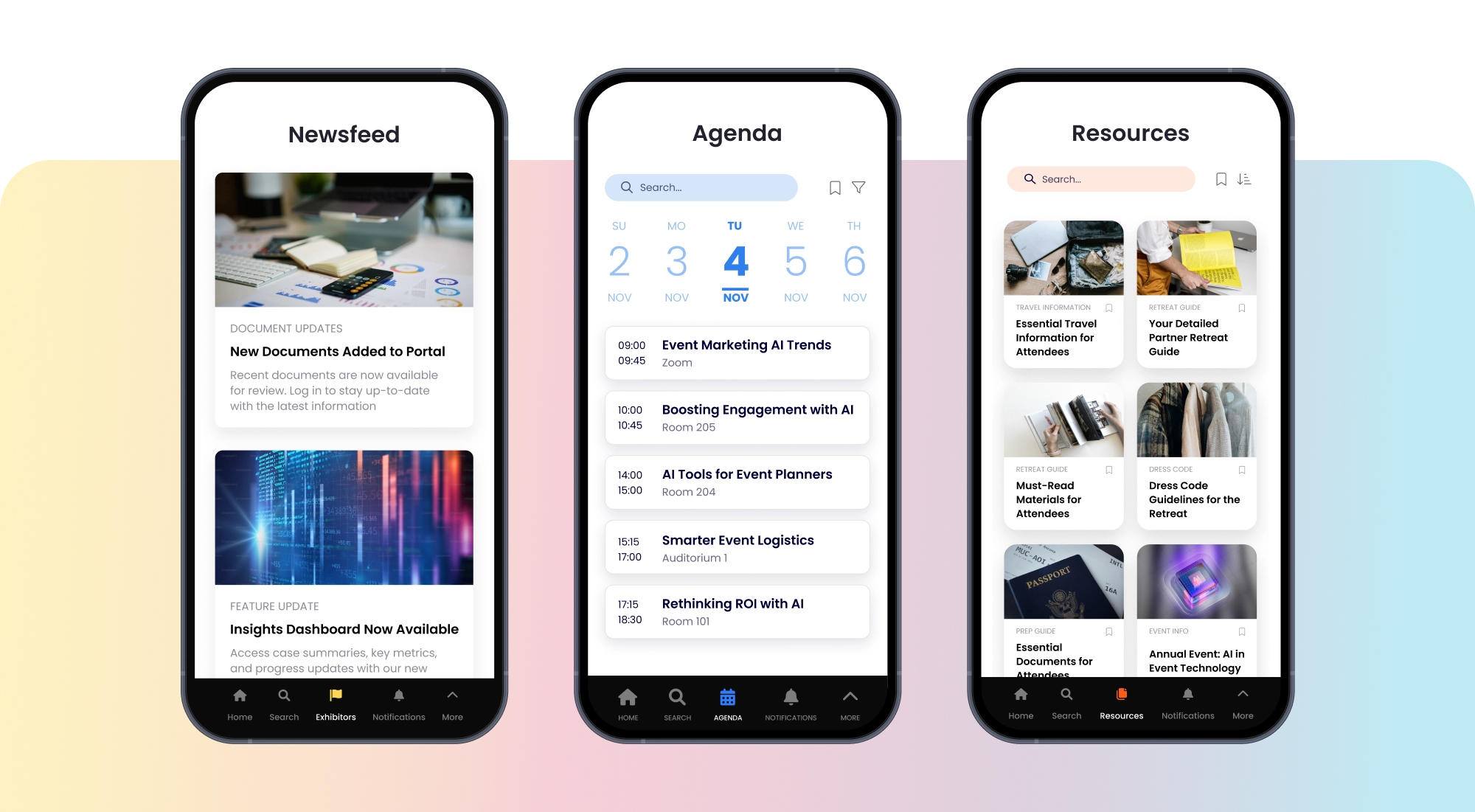
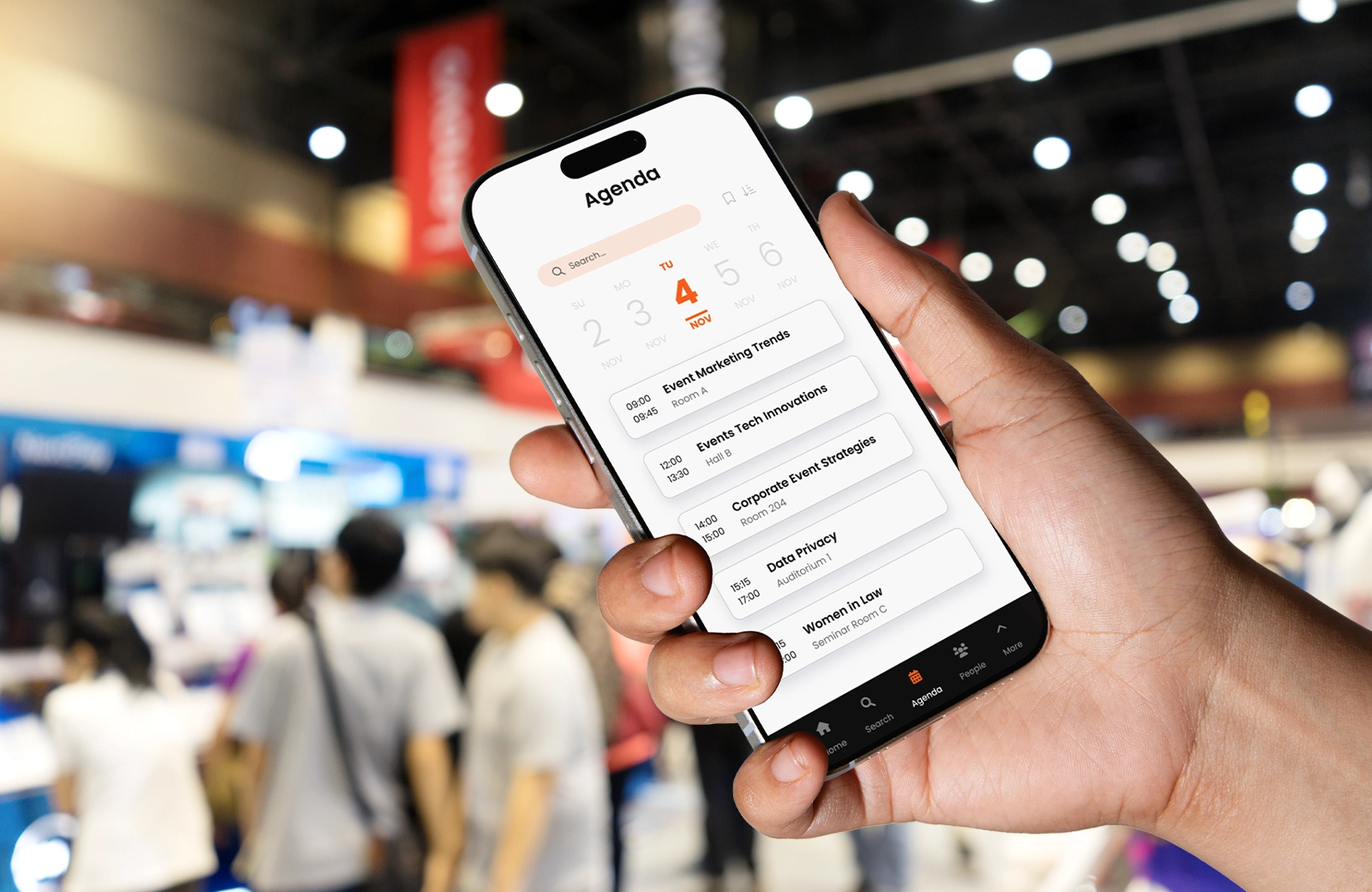
- View your personalized agenda and bookmark sessions.
- Post updates and see what's happening on the live feed.
- Watch session recordings and access materials in one place.
- Browse exhibitor profiles, download resources, and search for products.
Networking
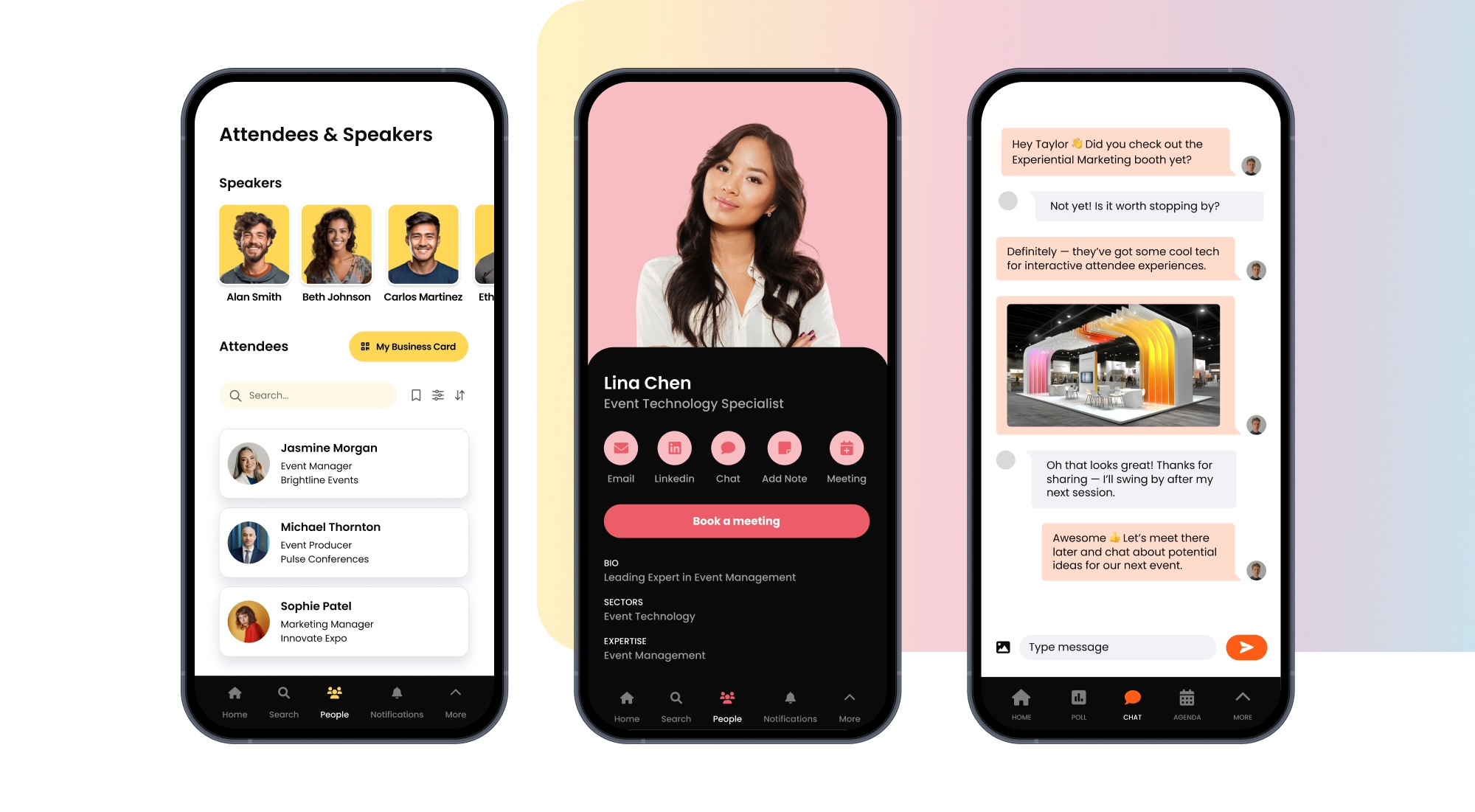
- Message attendees, speakers, and exhibitors directly.
- Exchange digital business cards by scanning QR codes.
- Schedule 1:1 meetings or join group discussions.
- Discover connections through the attendee directory.
Sponsorships
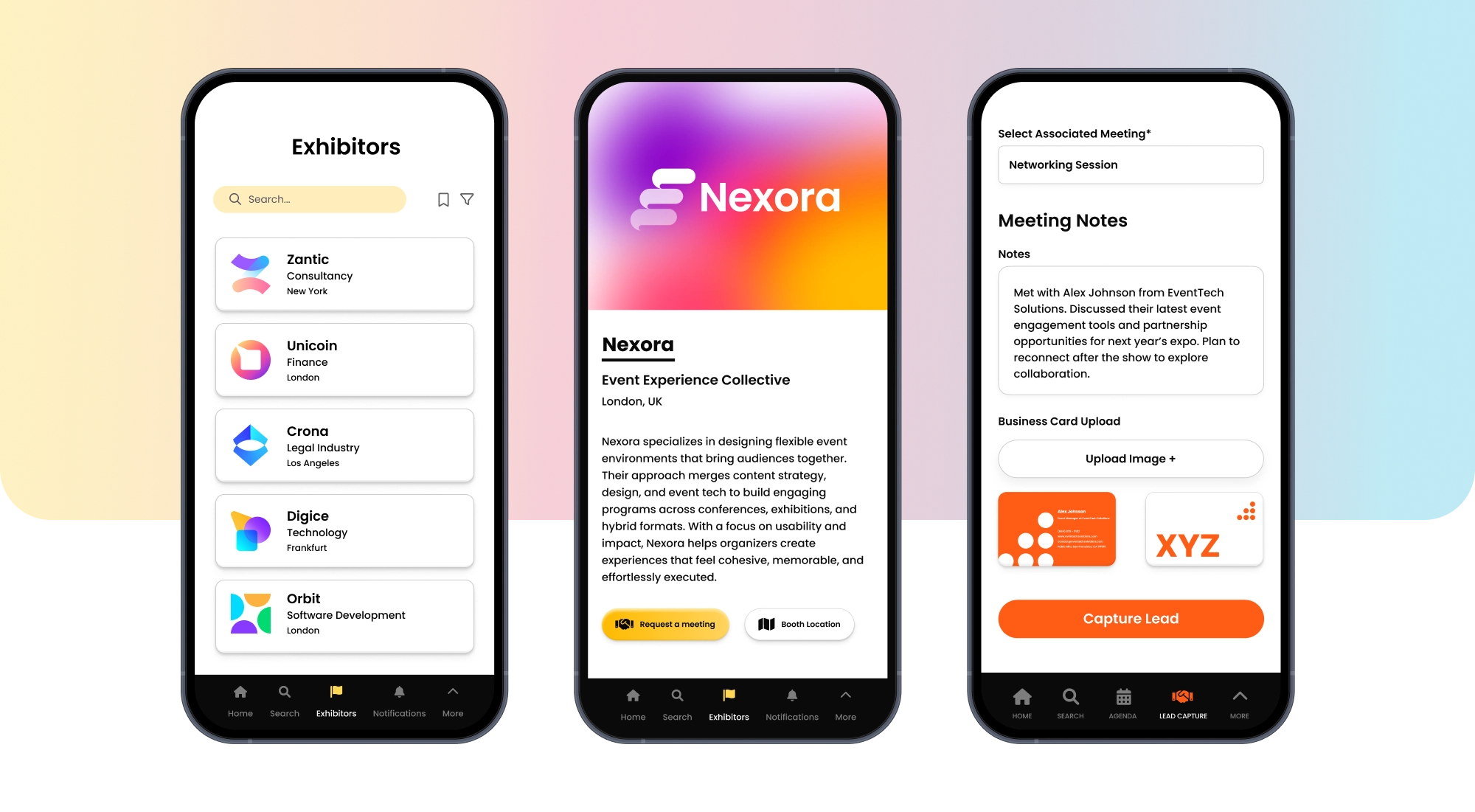
- Create branded profiles in the exhibitor and sponsor directory.
- Showcase your brand with customizable sponsor profiles.
- Capture leads and export them for follow-up.
Analytics
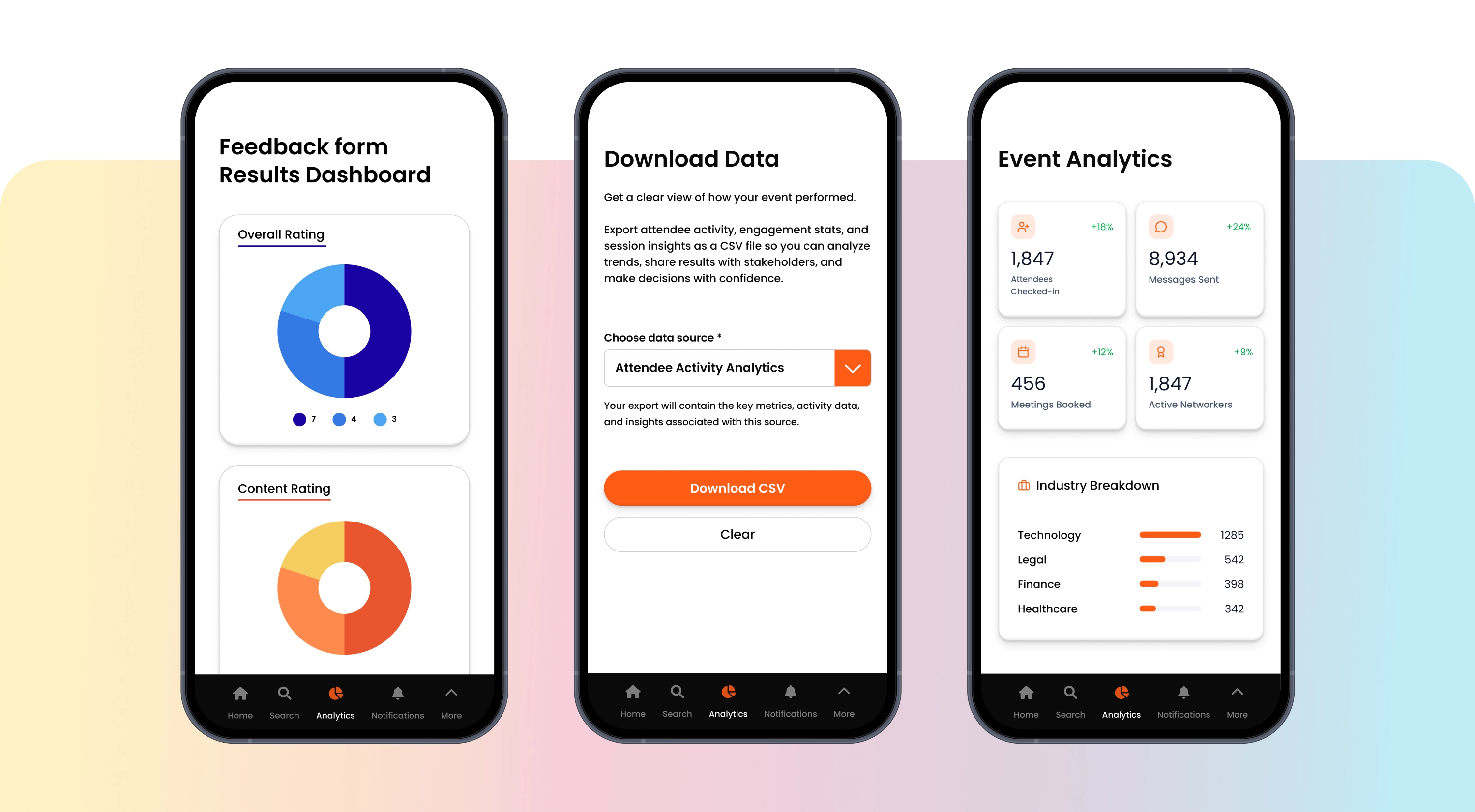
- See how your event is performing with real-time dashboards.
- Track check-ins, engagement, and session attendance.
- Export data or connect with your CRM and marketing tools.
The Challenge
Attendees struggle to stay connected and find what they need.
Without the right tools, attendees miss sessions, can't find the right people, and leave without making meaningful connections.
Without an app, attendees can't:
- Connect with the right people at the event.
- Navigate large venues and find sessions easily.
- Access schedules, materials, and exhibitor information.
The Solution
A mobile app that keeps everyone connected and informed.
Fliplet Events gives attendees everything they need to make the most of your event, from personalized schedules to networking tools.
With Fliplet Events they can:
- Connect with attendees through chat and digital business cards.
- Find exhibitors and sessions with interactive floor plans.
- Access all event content, materials, and updates in one place.
What Sets Us Apart
Flexible for any event, customizable for your brand
Run Events Your Way
Give attendees agendas, networking, engagement, and reports in one customizable app so you control every moment from planning to follow-up.

Flexible for Any Company Size
Fliplet Events adapts to small team meetings and large conferences alike, scaling from single events to enterprise-wide programs.

Dedicated Customer Support
Our specialists guide you from onboarding through event day with fast responses, training, and best-practice advice.
What Our Customers Are Saying

"We can set up pages and apps, which you can deploy anywhere within the space of minutes and hours."
"One of the key features in our partners conference app is the notes section - having all of the partners' key takeways from sessions in one place has been great."

"A member of our marketing staff last year built out a mobile app for our attorneys' firm retreat. She was able to do that with very little involvement from IT."

"You can go very quickly from the prototype to the MVP and then to the live product."

"Overall we've been pleasantly surprised by how little time it's taken to keep maintaining the app once it's been up and launched."

Results You Can Count On
98% Customer Satisfaction
Leading Event Management Platform On G2 and Capterra
Frequently Asked Questions
What is the Fliplet Events mobile app?
The Fliplet Events mobile app helps attendees stay connected and engaged throughout your event. It includes features like personalized agendas, networking tools, real-time updates, and engagement features, all accessible from iOS and Android devices.
Which mobile platforms does the Fliplet Events app support?
The Fliplet Events mobile app works on both iOS and Android devices, so attendees can access your event from their preferred device.
How can I get support for the mobile app?
Our team provides support throughout your event planning and during the event itself. You'll have access to technical help, onboarding guidance, and live support when you need it.
How do attendees navigate the event using the app?
Attendees can use interactive floor plans to find sessions and exhibitors, browse and bookmark sessions in their agenda, and receive push notifications for important updates. The app is customizable based on your event's needs.
What engagement features are available?
The app includes polls, surveys, live Q&A, scavenger hunts, photo sharing on the social wall, and a live event feed to keep attendees engaged throughout your event.
Can the app help with networking?
Yes. Attendees can connect through chat, exchange digital business cards by scanning QR codes, schedule 1:1 meetings, and browse the attendee directory to find the right people.
Can I integrate the app with my CRM or marketing tools?
Yes. Fliplet Events integrates with popular CRM systems like Salesforce and HubSpot, and marketing tools like Marketo, so you can sync data and manage leads in your existing systems.
What analytics and reporting features are available?
You'll get real-time dashboards that track check-ins, engagement metrics, session attendance, and exhibitor interactions. You can also export data for deeper analysis in your own tools.